| Function | Report to print a Credit Note – output is given as a PDF file at the path Specified |
| | |
| How To Use | |
| | |
| Input Screen | Choose Credit Note to Print
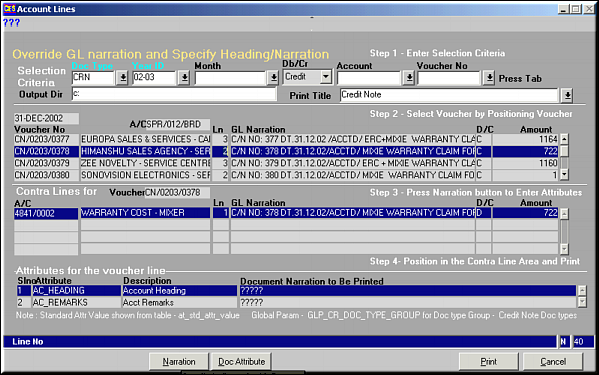
Enter the criteria to filter Credit Notes. Highlight the Credit Note that needs to be printed and Click OK to Print the report to a PDF file.Note: Give Clearly the path where the output should move. Give a valid path. |
| | |
| Narration | Click on this to view and modify the Attrib Codes.
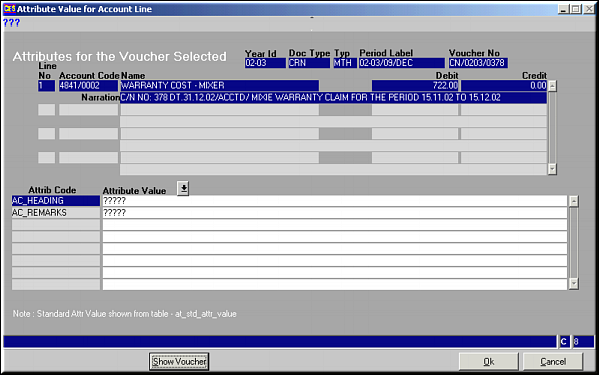
Click Show Voucher to view voucher details. |
| | |
| Doc Attribute | Click to view and Modify Doc Attributes
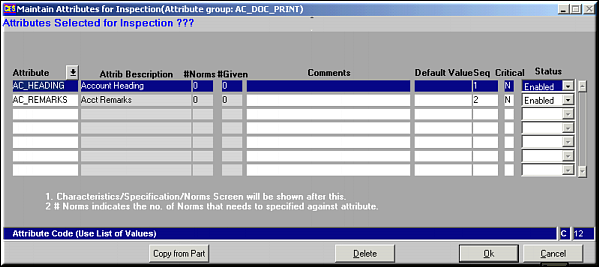
|
| | |
| Output | PDF File
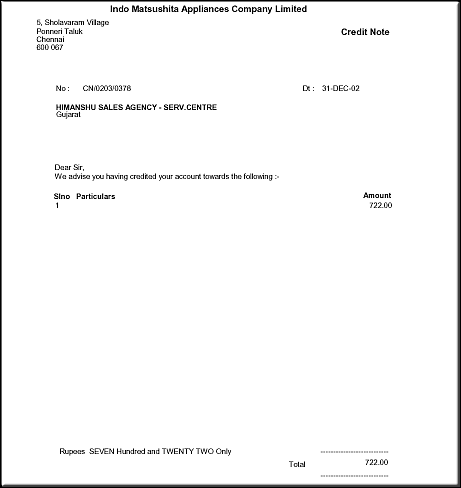
|
| | |
| Pre-requisites | |
| | |
| Notes | |